

How to

How to dig with Diggr.

Everything the app does, in six chapters: from pasting your first link to cutting a loop for your DAW.

  1. How it works
  2. Crates
  3. Modes
  4. Discogs
  5. Extension
  6. Setup
How it works

Paste a link. Hear every record.

A store page, a DJ mix or the music already on your computer: whatever you send it, Diggr turns into a crate you can play.

Every record on the page, grouped.

A label, an artist, a release, a chart, a seller's stock, a wantlist: paste it, and every record shows up with covers, styles and copies for sale. OWNED marks what you already have.

Paste your Bandcamp fan page and your collection and wishlist become crates. Tracks without a clip are matched on YouTube.

  • Labels
  • Artists
  • Releases
  • Charts
  • Sellers
  • Wantlists
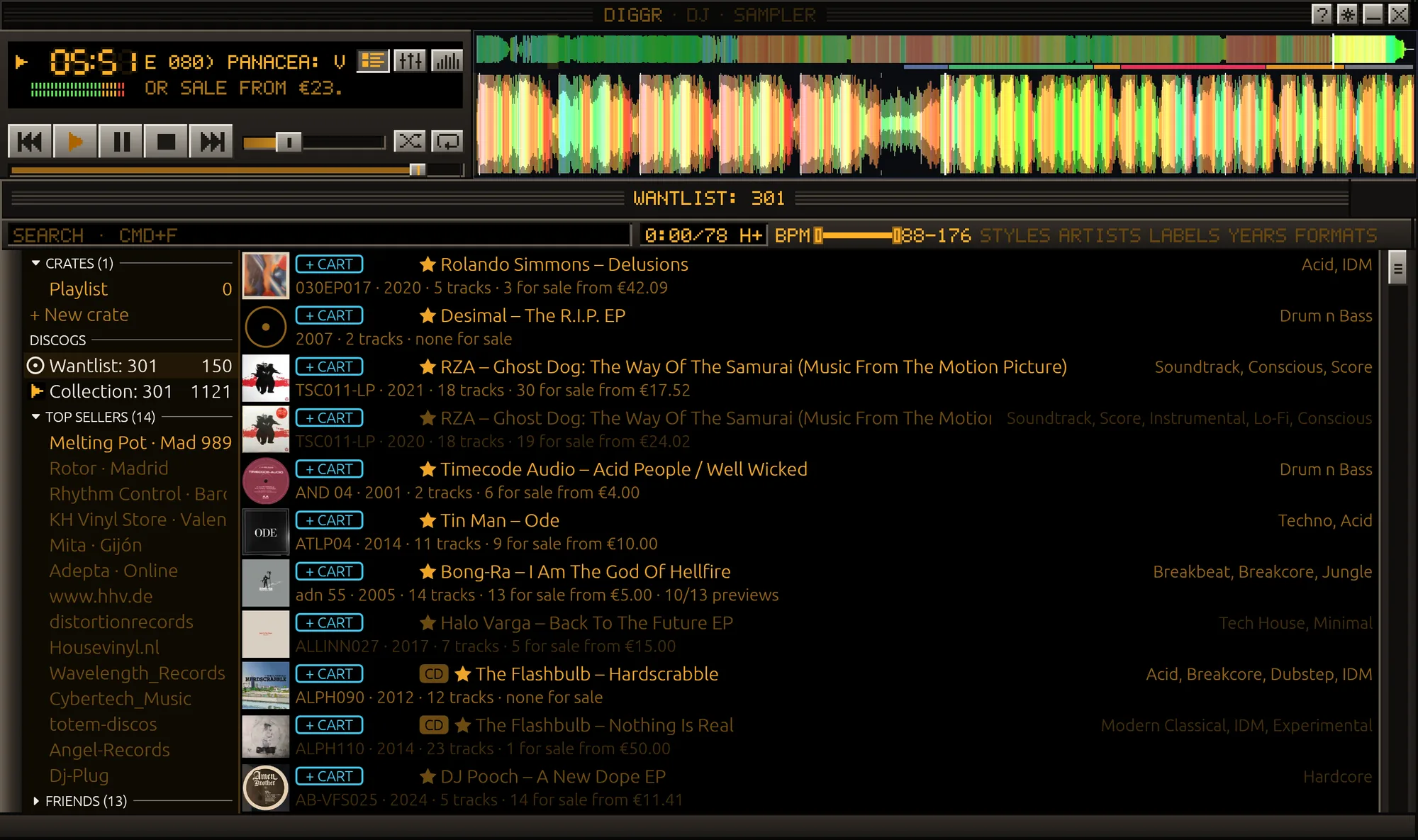
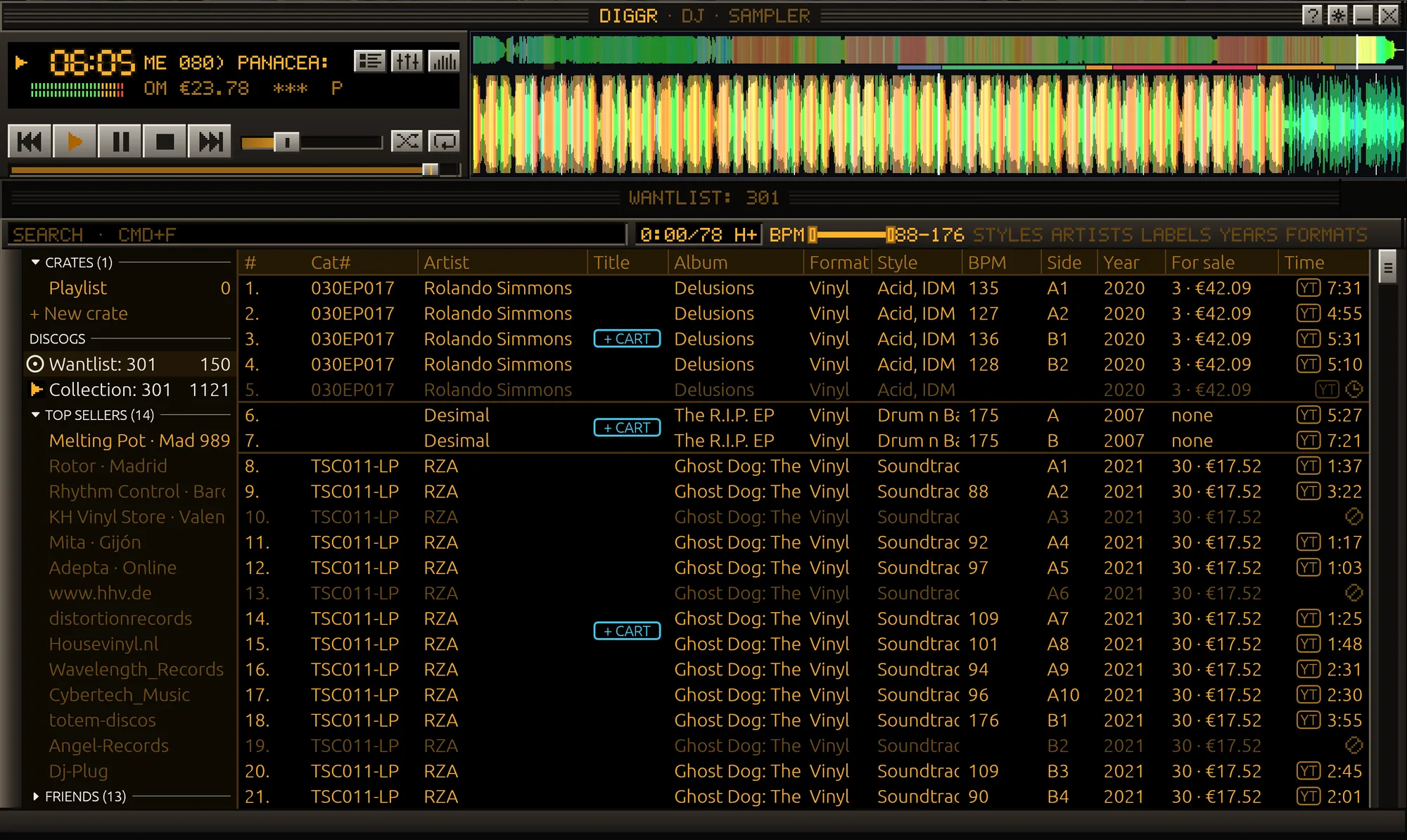
A crate in Diggr: records with covers, styles, copies for sale and CART and PAY buttons, a BPM filter, the player analysing the playing track, and a record's details opening

Heard it in a mix? Put it in your cart.

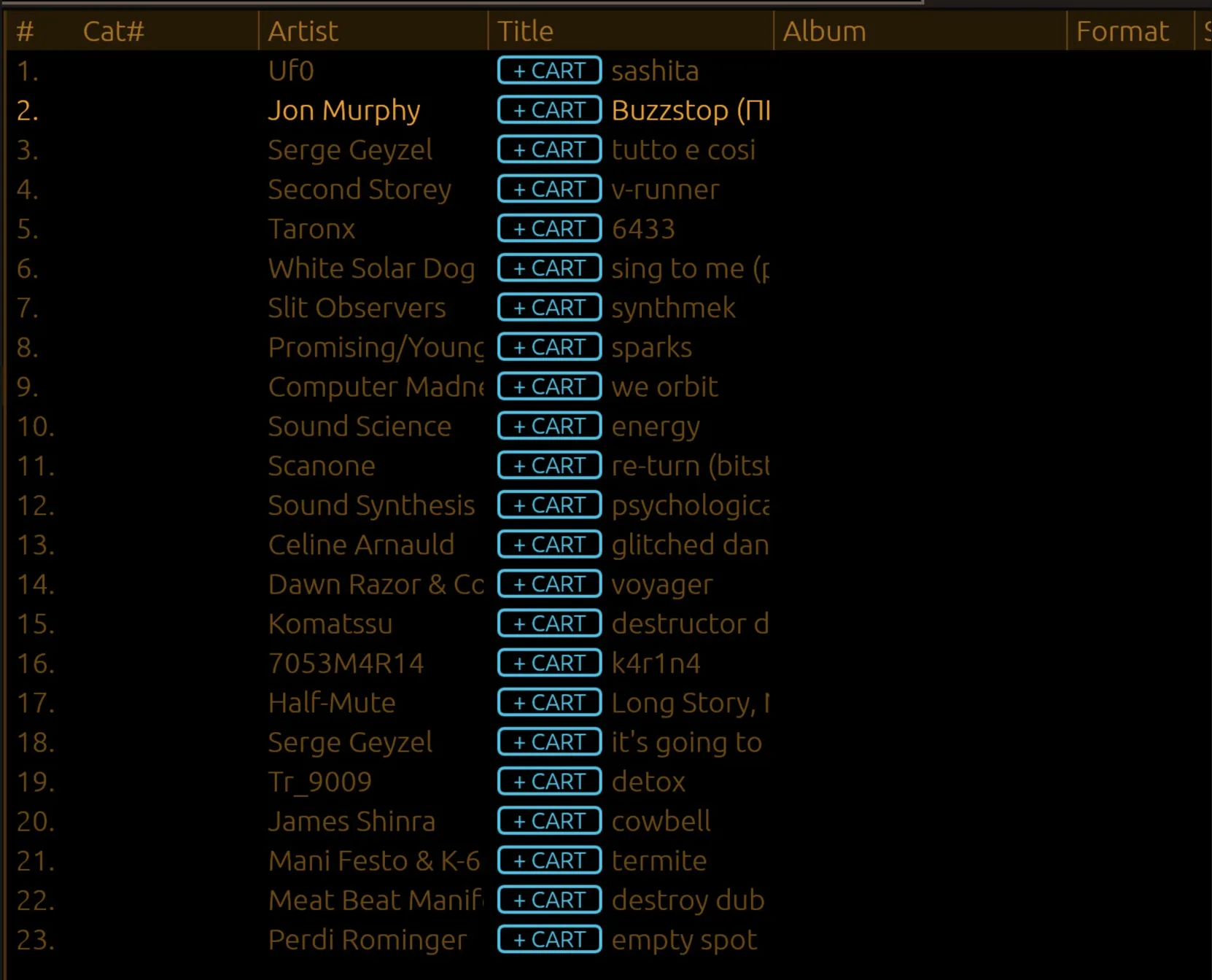
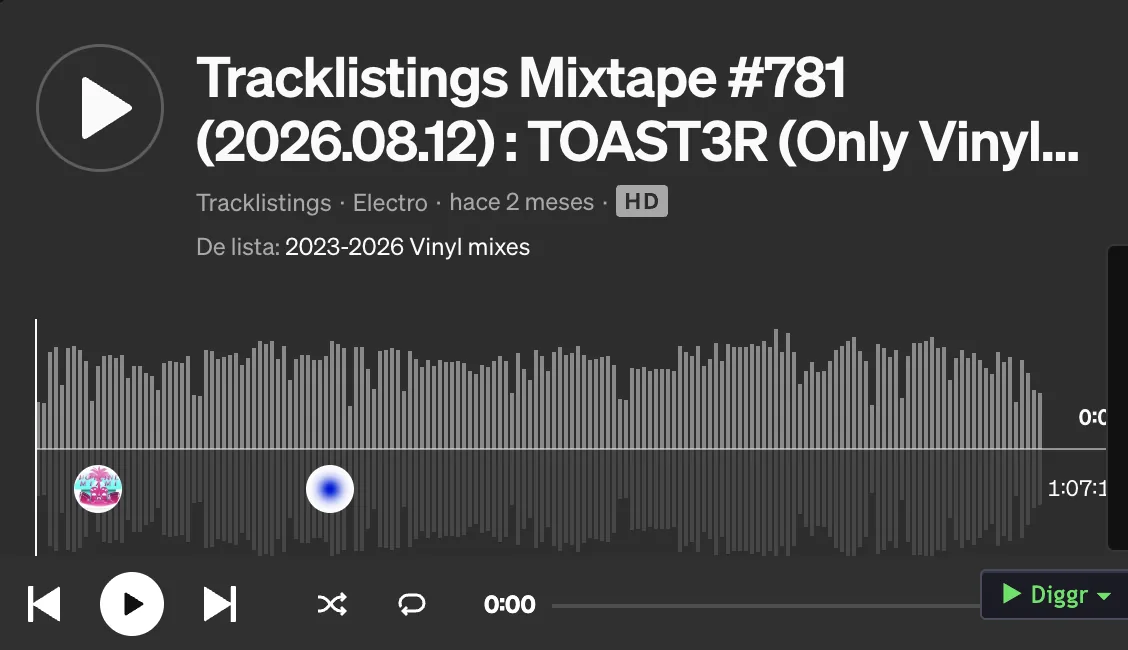
Paste a SoundCloud or YouTube mix, or click ▶ Diggr on its page, and its tracklist becomes a crate, in mix order. Every track is found and plays, so you can check it's the one you heard.

+ CART takes you to the store that sells it, or searches all six at once.

The mix's tracklist as a Diggr crate, 23 tracks in mix order, each with artist, title and a + CART button The mixA Tracklistings mixtape playing on SoundCloud, with the ▶ Diggr button from the browser extension next to the player

Your digital collection, too.

Diggr is also a full music player for the library already on your computer. Drag files or whole folders onto the window, or press ⌘O (Ctrl+O on Windows and Linux), and play them like in any player, with the same crates, BPM and SYNC as a dig. Import and export playlists as M3U.

MP3FLACWAVOGGM4AAACM3U
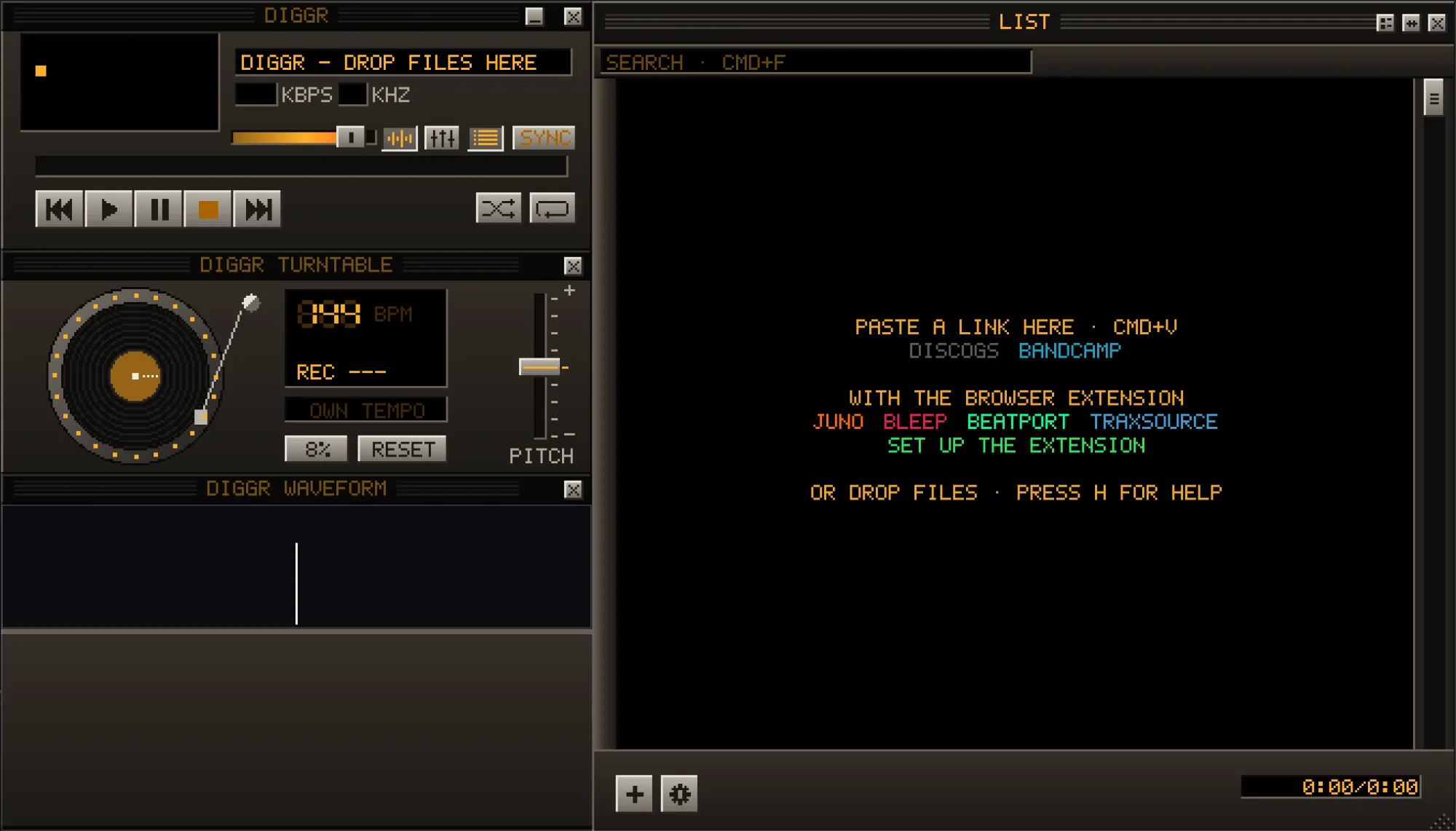
Diggr's empty list saying: paste a link here, Cmd+V, from Discogs or Bandcamp; with the browser extension, Juno, Bleep, Beatport and Traxsource; or drop files
Crates

Digital crates that think like you.

Crate digging the way vinyl collectors do it: grouped by record, not loose tracks. Flip to the tracks, open any record, and filter by BPM, style, artist, label, year and format.

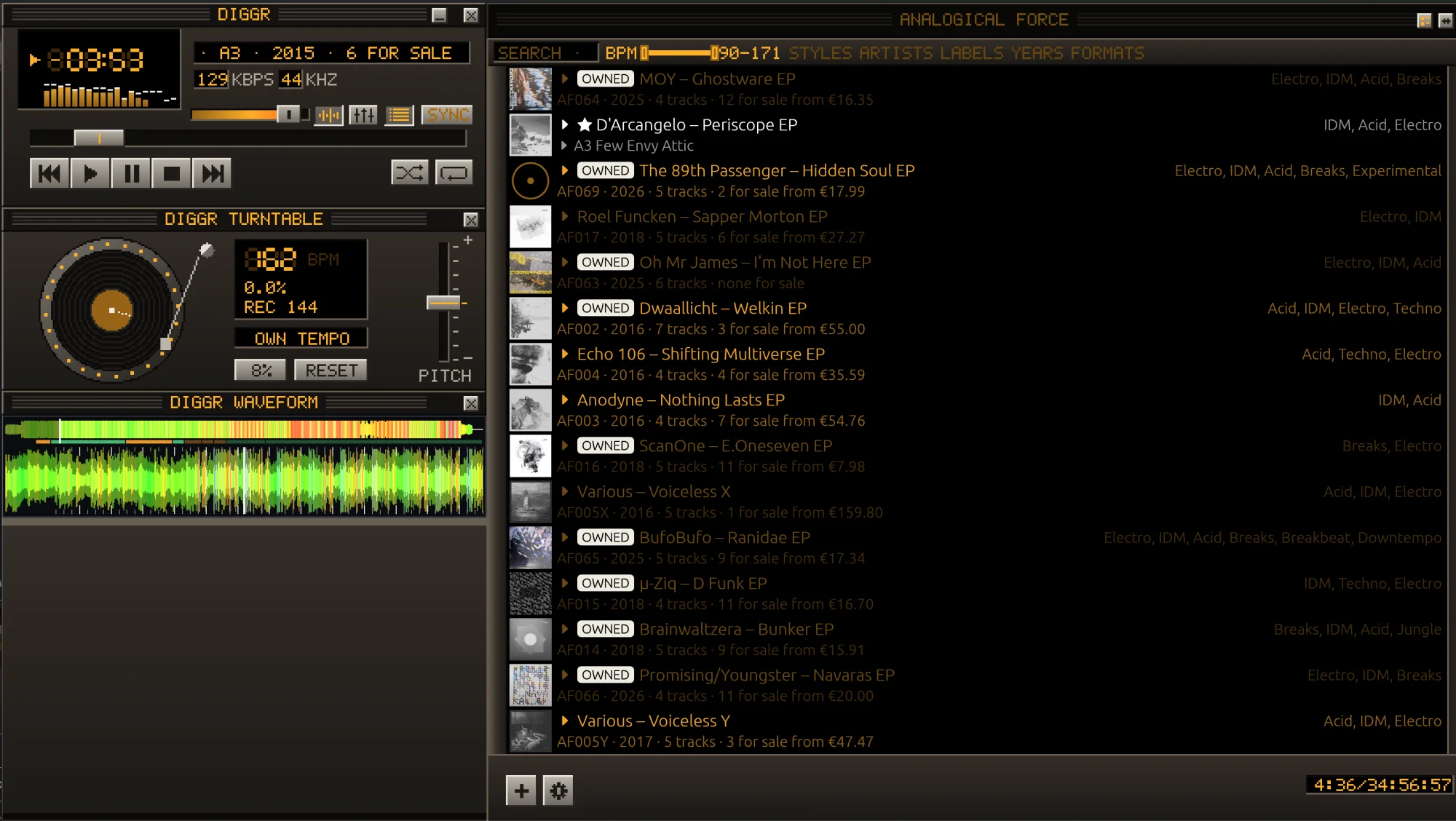
A crate in Diggr grouped by record: covers, + CART buttons, catalogue numbers, copies for sale with the cheapest price, and styles, scrolled while the player plays a record
The same crate as a track list with Cat#, artist, album, format, style, BPM, side, year and copies for sale; hovering a track shows its label, status and price, and clicking one loads it into the player
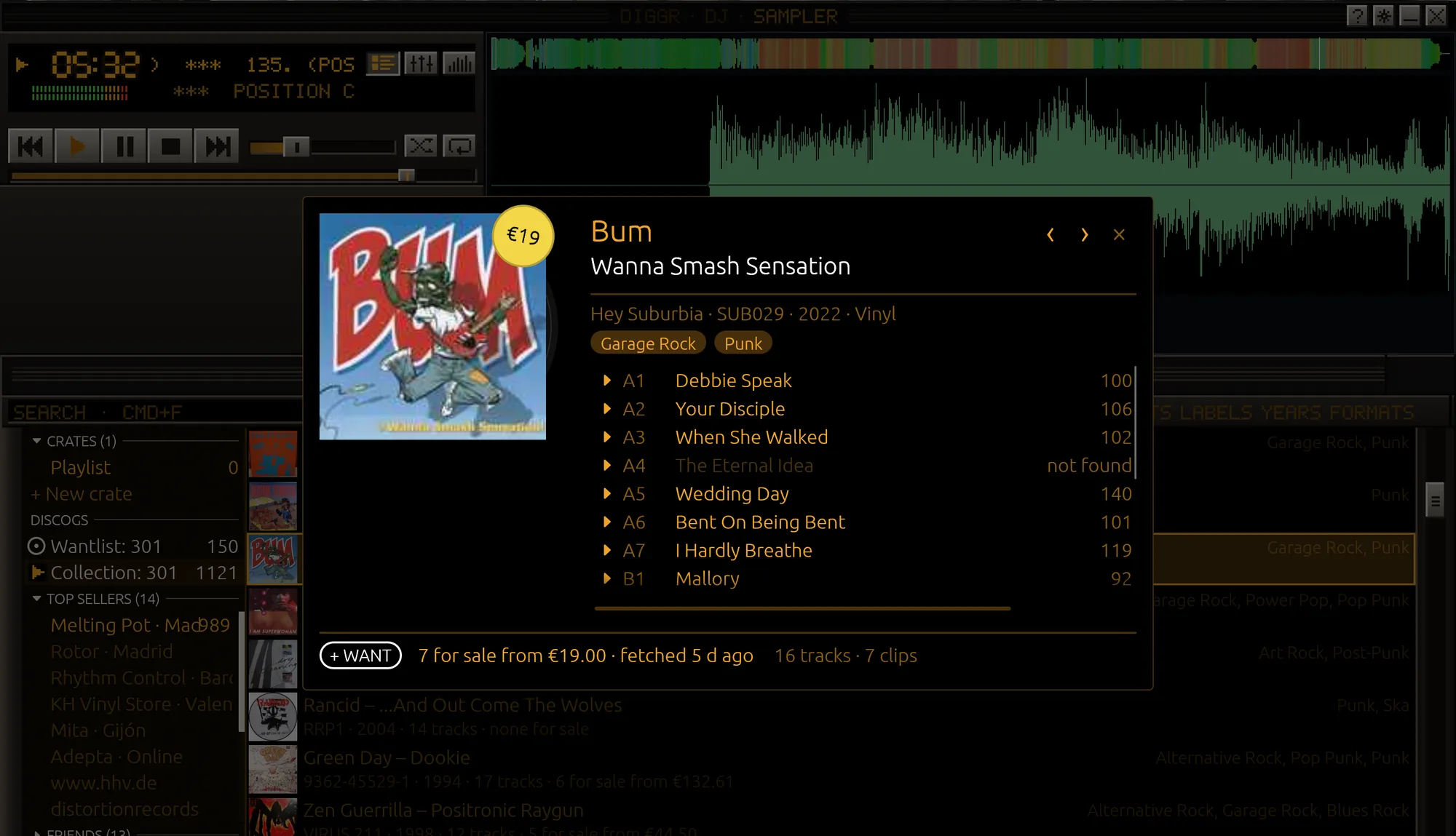
Record cards opening one after another with the arrow keys: each with its cover, price badge, styles, tracklist with the tracks queued, + WANT and + CART buttons and the copies for sale

Your crates, in the sidebar.

Playlists, your Discogs wantlist and collection, your top sellers (the record shops you buy from) and your friends. Search a crate by artist, title or catalogue number, accents or not, or pick a year on the YEARS grid. Follow a label on Bandcamp and it merges with the same label's Discogs crate. And when no store has a preview of a record, Diggr tells you it probably isn't out yet.

Try a BPM filter4 / 4 records
  • D'Arcangelo · Periscope EP162
  • Roel Funcken · Sapper Morton EP128
  • Echo 106 · Shifting Motive132
  • Dwaallicht · Welkin140
Modes

Hear it in your set. Cut a loop from it.

Two keys change what the player does: J brings in the turntable, M opens the Sampler. The music never stops.

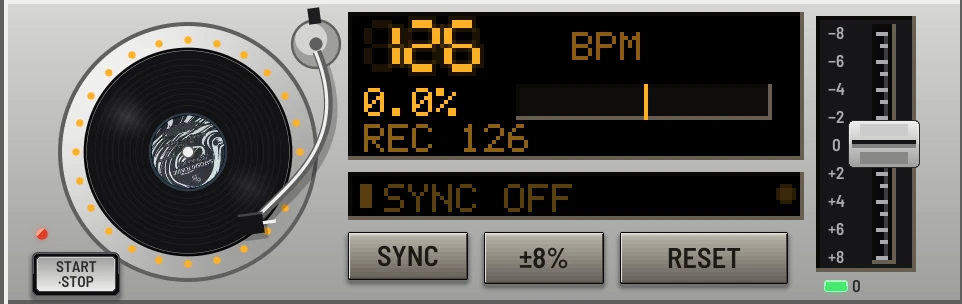
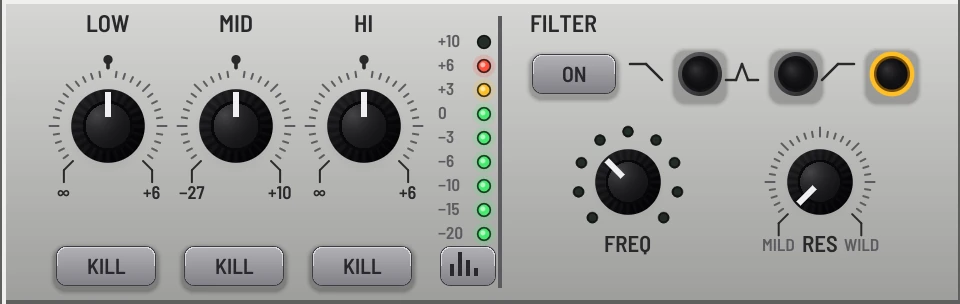
DJ mode: the turntable with strobe dots and tonearm, 126 BPM, the pitch at 0.0%, REC 126, SYNC OFF, the SYNC, ±8% and RESET buttons and the pitch faderBeside it: the LOW, MID and HI EQ knobs with their KILL buttons, a level meter, and the DJ filter with its ON switch and FREQ and RES knobs, from mild to wild

DJ mode turns on SYNC: every track plays at your set's tempo on a turntable with a pitch fader, so you hear how it mixes before you buy it.

Beatport and Traxsource tracks show their key as a Camelot code, next to the BPM. Jump with [ and ], or Shift+] to the next drop, loop with L or Shift+L for 4, 8 or 16 bars, and shape it with an EQ and a resonant low-pass DJ filter, over a waveform and a spectrogram.

SYNC preview · 162 BPM source162.0 BPM · +0.0%
−8%+8%

Drag the fader: the whole page follows the tempo · no audio

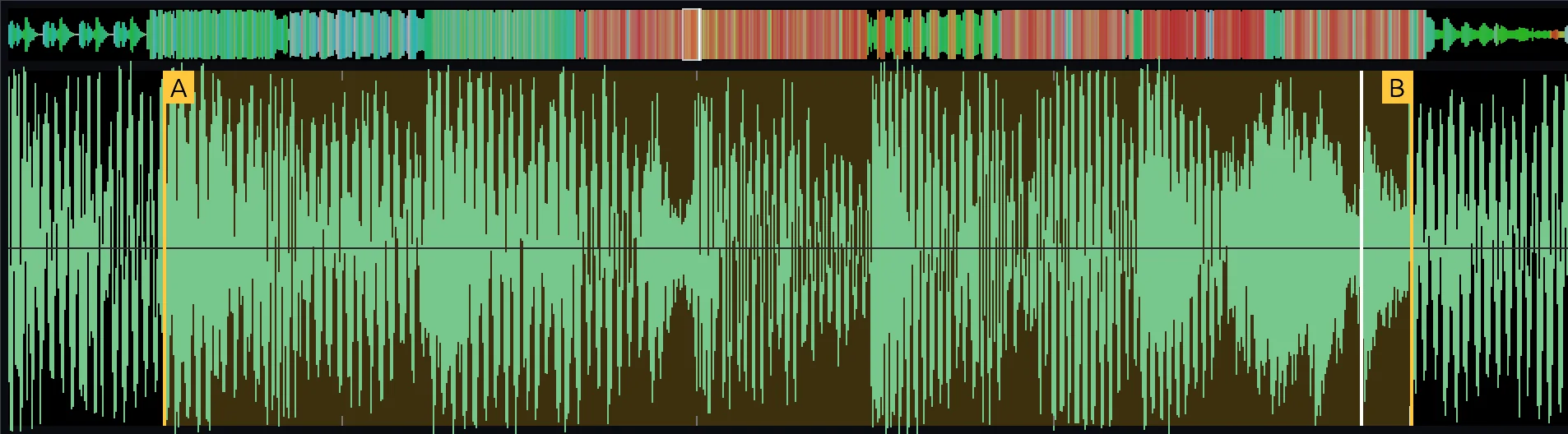
Sampler mode: the whole track on top, and below it the zoomed waveform with a loop shaded between the A and B handlesThe loop's fields: A 01:46.441, B 01:48.885, LEN ms 2443, 7 beatsSnap to beat, bar or off, ½× and 2×, AUDITION and EXPORT WAV

Sampler mode cuts a loop from the track that's playing, right on the beat.

Press M, or Shift+drag across the waveform, and the bar you're on starts looping. A and B snap to the beat, every edit loops without a gap, and EXPORT WAV saves it exactly that many beats long, at the tempo, EQ and filter you hear, so it lands on your DAW's grid.

Your Discogs account

Connect Discogs. Everything follows.

Click Connect with Discogs, then Authorize in your browser, and Diggr knows your wantlist, your collection, the shops you buy from and your friends. No token to copy. All of it stays in sync.

Preview only · no account connected
Insights

What your collection says about you.

Right-click your collection and choose Open Insights: your vinyl by year, style and decade, your top labels and artists, and what it's worth. Every bar is a filter: click one to see those records. Follow a label in one click.
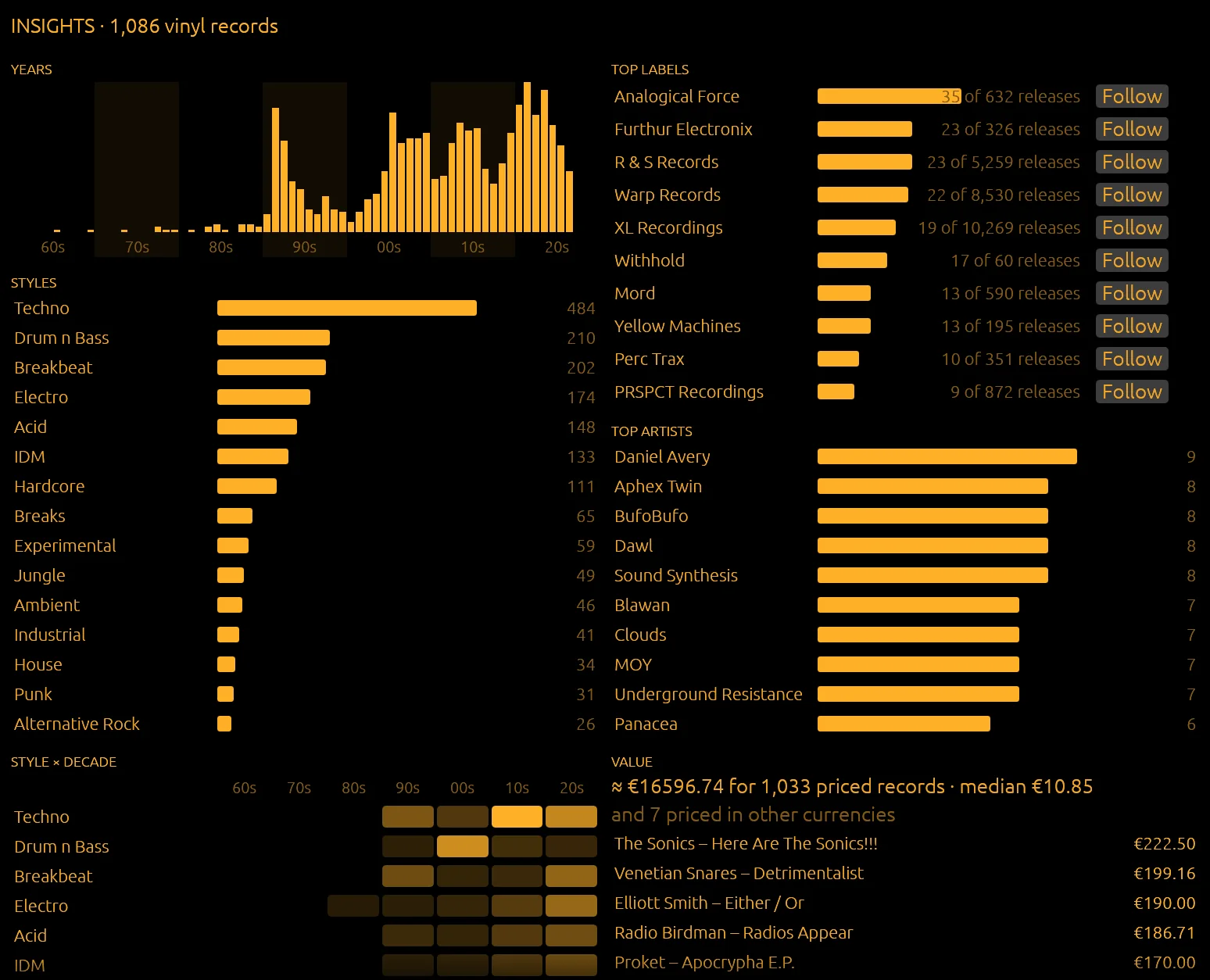
Diggr's collection of 1,093 vinyl records opened in Insights: records per year, styles, top labels with Follow buttons, top artists and the collection's value; clicking an artist bar filters the collection to that artist's records, and one opens with its tracks
Wantlist

Y lands on Discogs.

Y adds the record to your real Discogs wantlist, and again removes it. Your wantlist crate follows Discogs both ways.

Collection

Never buy a record twice.

Your whole collection becomes a crate, and OWNED marks every record you have, in any pressing, wherever it shows up. Bought one? Add to collection takes it off your wantlist.

Top sellers

Dig the shops you buy from.

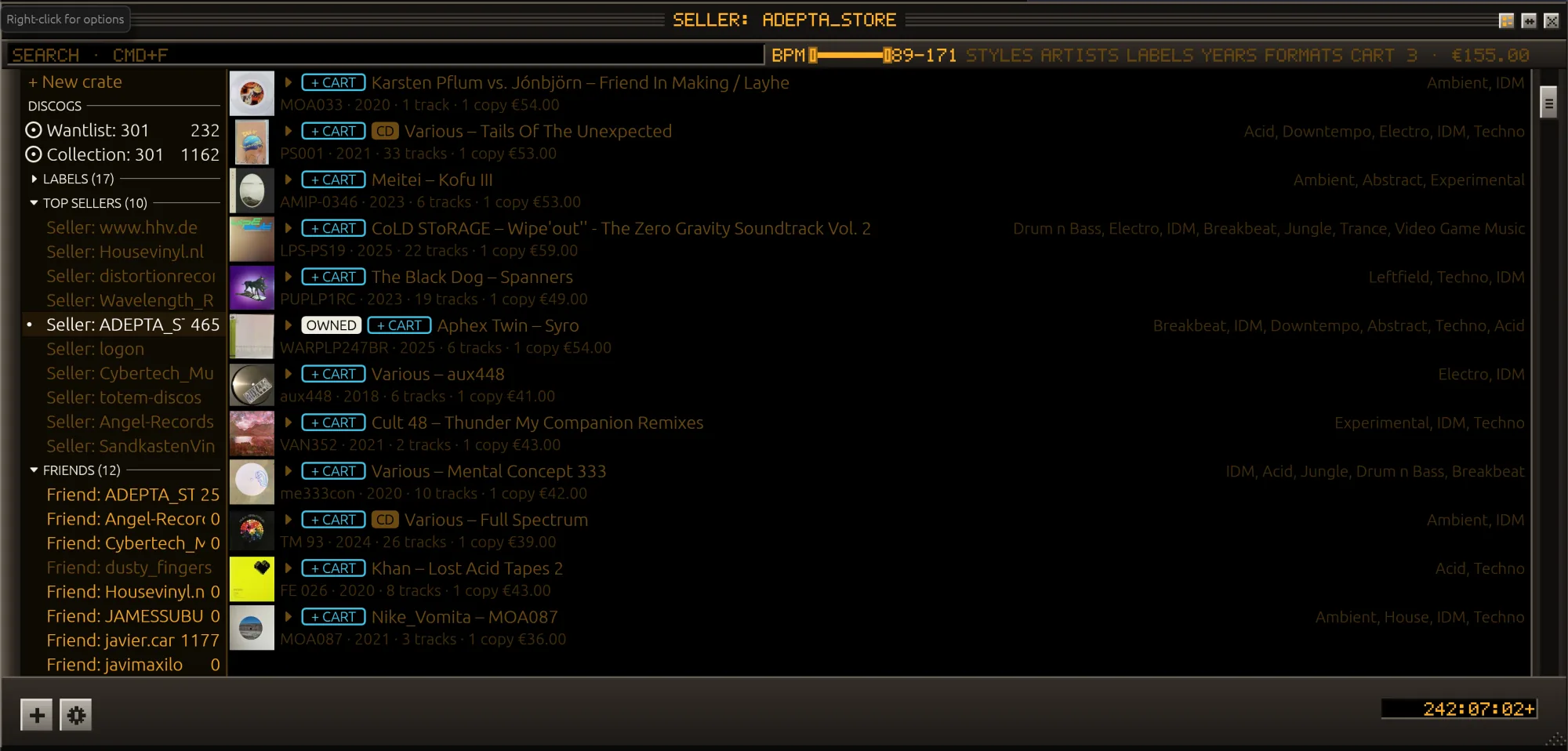
The 10 sellers you buy from most, read from your orders. Narrow a stock by format, price, condition or ships-from, refresh to see what's new, what sold and what got cheaper, and + CART puts a copy straight in your Discogs cart. Click CART n · subtotal to hear your whole order again before you pay. Connect Discogs and eight Spanish record shops come ready next to them: double-click one to hear its whole stock.

Melting Pot's stock as a crate in Diggr's Top sellers while Rotor's imports: a record opens with its tracks, + CART puts the copy in the cart, and PAY is one click away
Friends

Dig your friends' shelves.

A crate per Discogs friend, filled from their collection, with OWNED on what you already have. Refresh to see what they added.

Chrome extension

Every store. The full experience.

On its own, the player imports Discogs and Bandcamp. The extension extends import to Juno, Beatport, Traxsource and Bleep, with a ▶ Diggr button on every store page.

Setup

Two minutes. Both optional.

Diggr plays any Discogs or Bandcamp page the moment you install it. These two make it yours.

Discogs account

Connect your Discogs.

  1. Open Diggr: a short setup offers to connect Discogs and pair the extension, or open it any time from Options ▸ Set up Diggr…
  2. Click Connect with Discogs, then Authorize on Discogs.
  3. Your wantlist, collection, top sellers and friends fill in.

A personal token still works, under “Use a personal token instead”. Your login stays on your computer, and connecting lets Discogs answer 60 requests a minute instead of 25, so digs fill in faster.

Chrome extension

Pair the extension.

  1. Install the extension from the Chrome Web Store.
  2. In Diggr, open Options ▸ Browser…
  3. Enter the 6-digit code. Done.

Private: it only talks to the player on your computer, and never sees your store passwords.

Add to Chrome · free
Get Diggr

Send a page.
Start digging.

Free. For Mac, Windows 10 and 11, and Linux.

Download Diggr Free · Mac, Windows, Linux